Sales
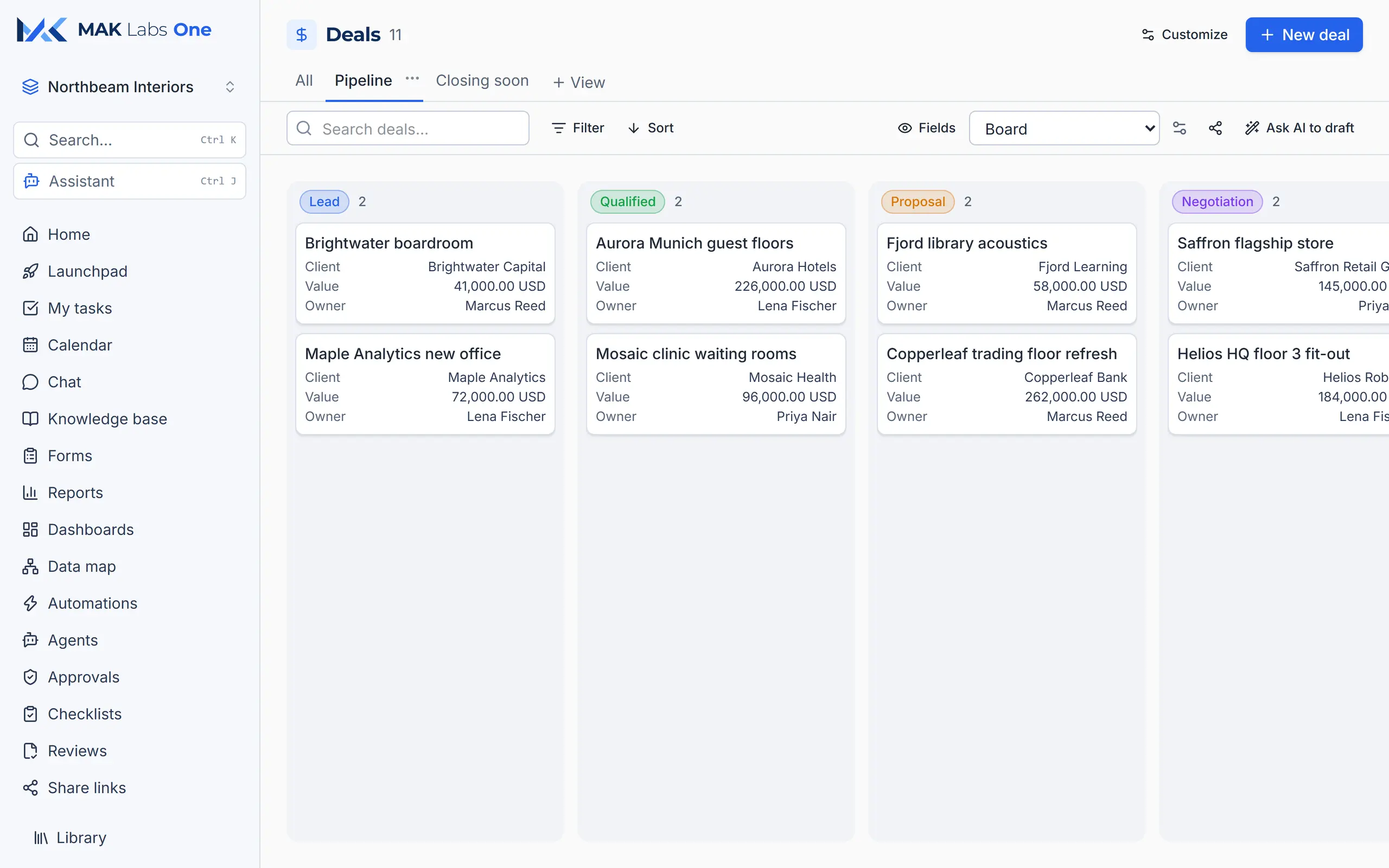
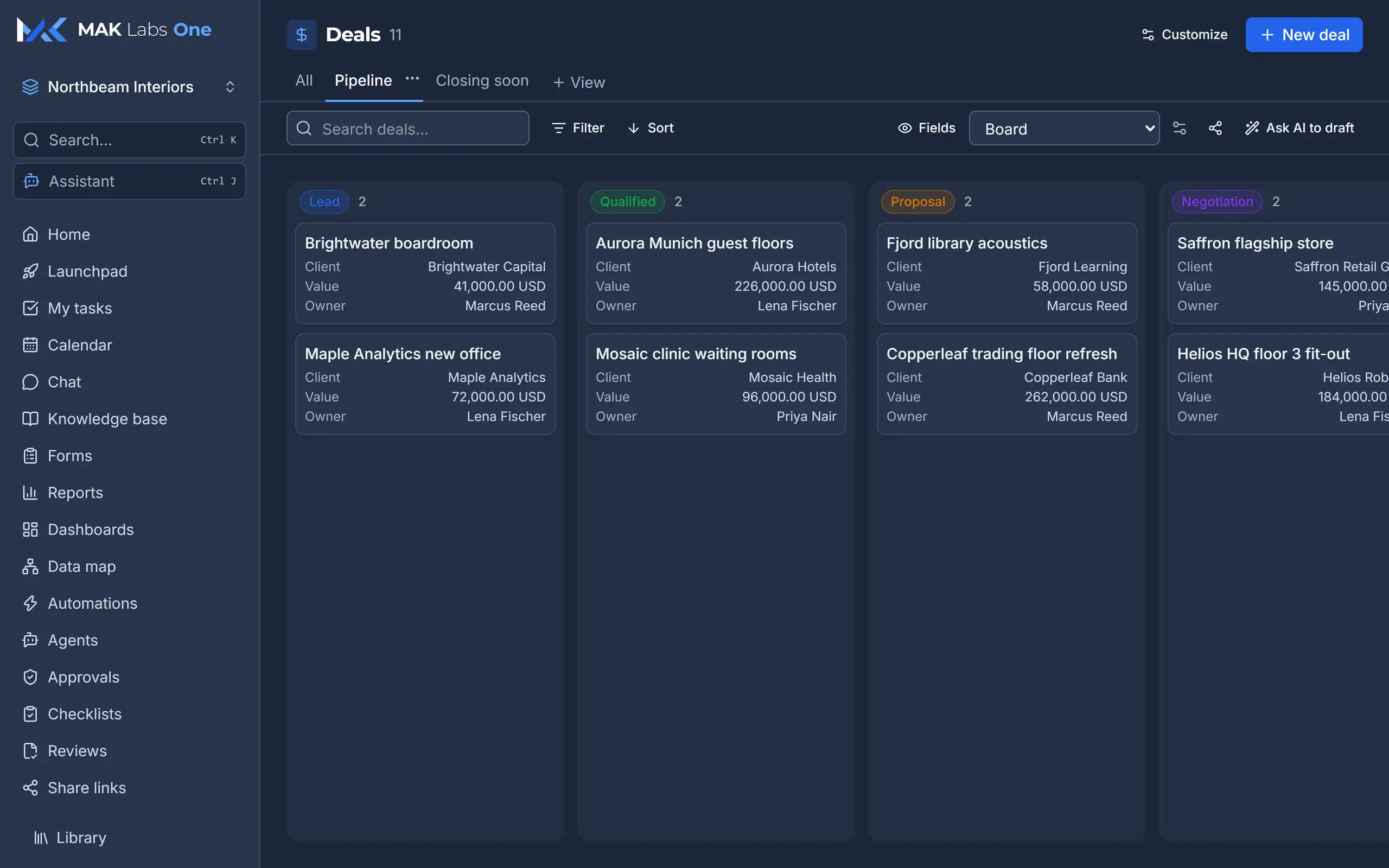
Every deal, every stage, one board
Drag deals from Lead to Won. See the client, value and owner on every card, or switch to table, calendar, timeline, map or pivot. The AI can fill fields in from a document.
MAK Labs One
Sales, finance, stock, people, support, projects, automation and AI, in one workspace that you shape to fit your business.
Take the tour
Sales, invoices, dashboards, automations and AI, on real screens. The sample company, Northbeam Interiors, is invented.
Too many tools?
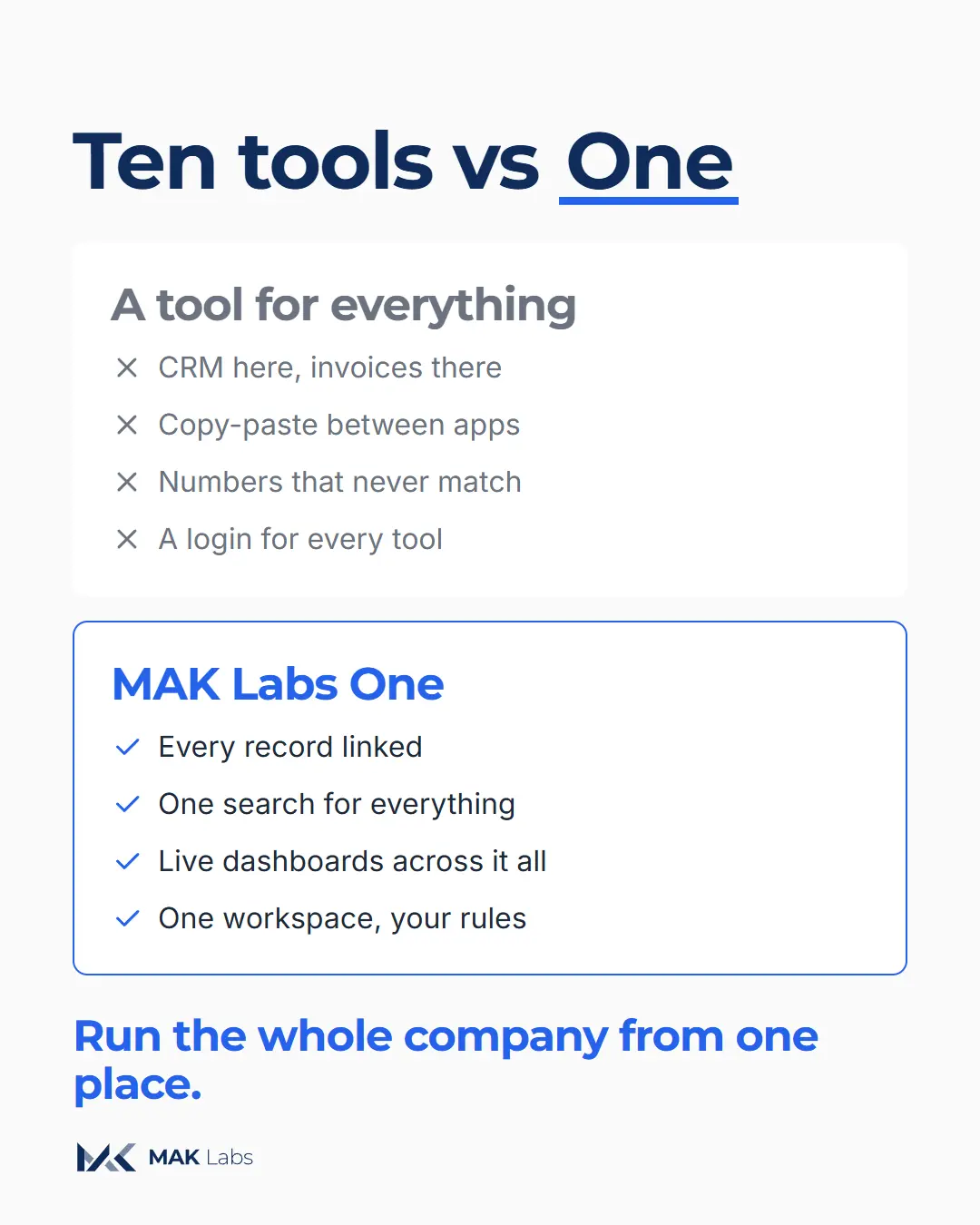
CRM here. Invoices there. Stock in a spreadsheet. Support in an inbox.
Every tool has its own login, its own copy of the client and its own version of the numbers. MAK Labs One puts them in one place, linked, so the numbers finally match.
Everything a company runs on
Sales
Drag deals from Lead to Won. See the client, value and owner on every card, or switch to table, calendar, timeline, map or pivot. The AI can fill fields in from a document.
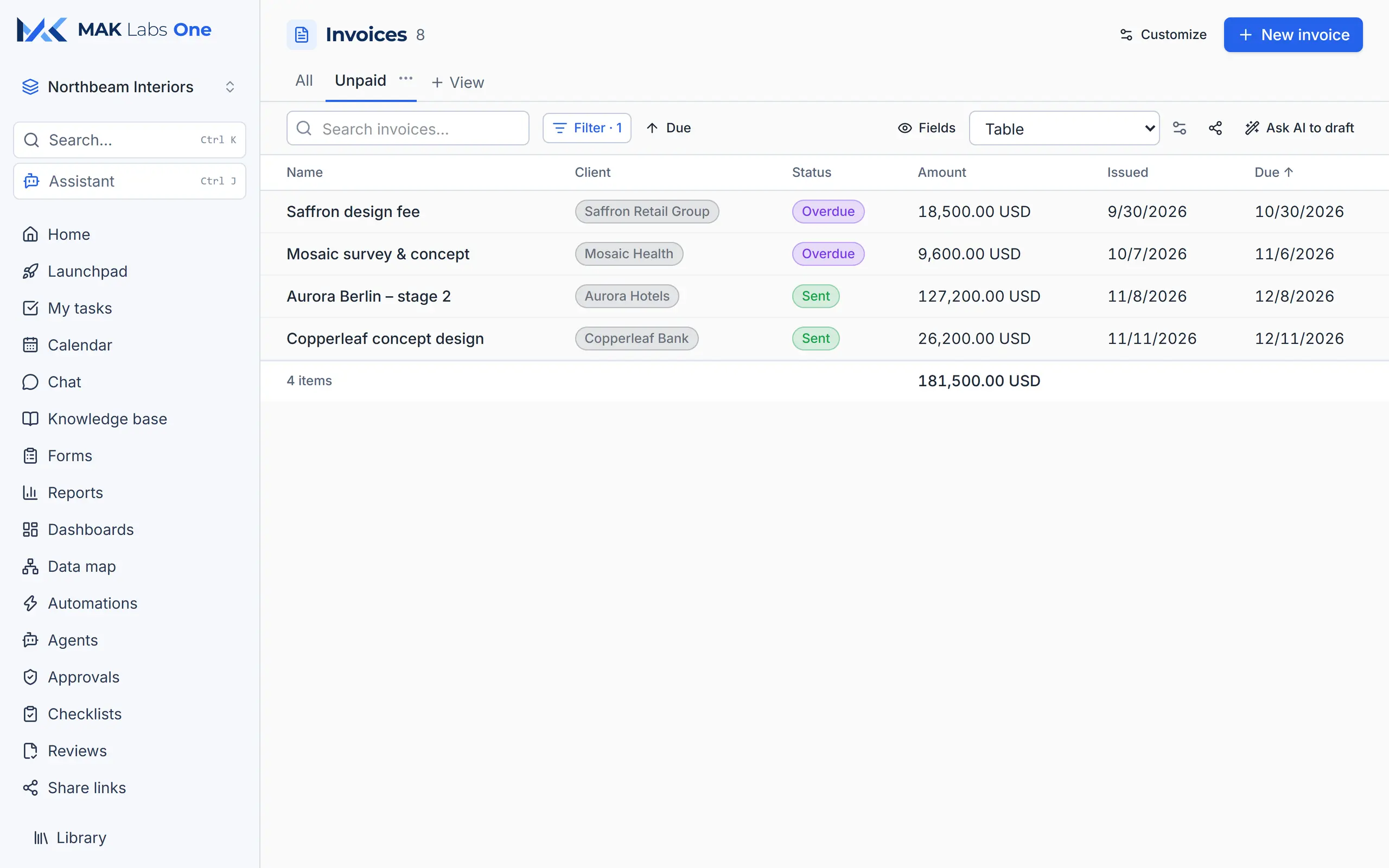
Finance
A saved "Unpaid" view lists sent and overdue invoices with the total underneath. Numbers like INV-2026-0001 are assigned automatically, and status only moves the way finance allows.
Stock
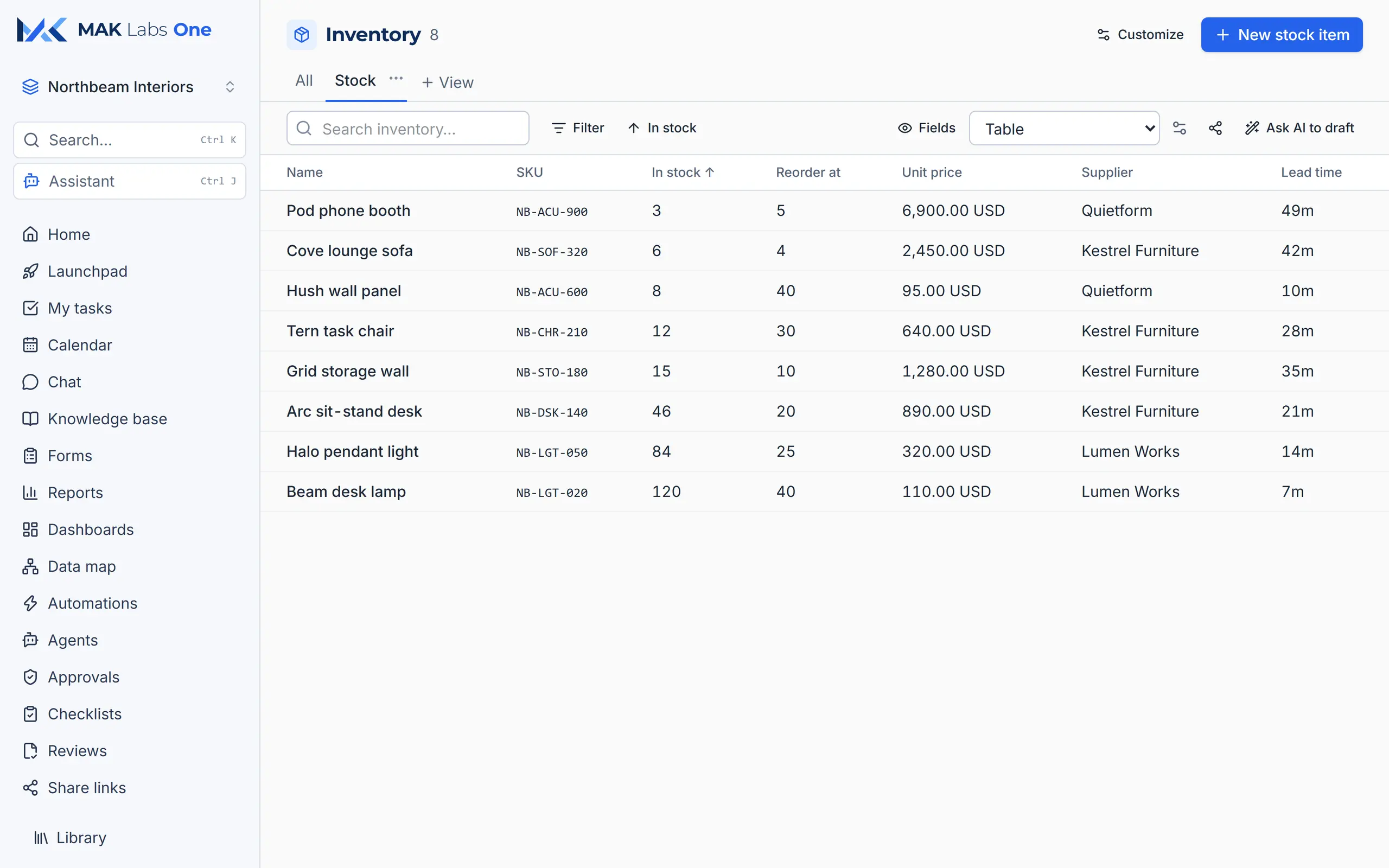
Stock levels, reorder points, prices, suppliers and lead times in one list, sorted by what's running low.
Support
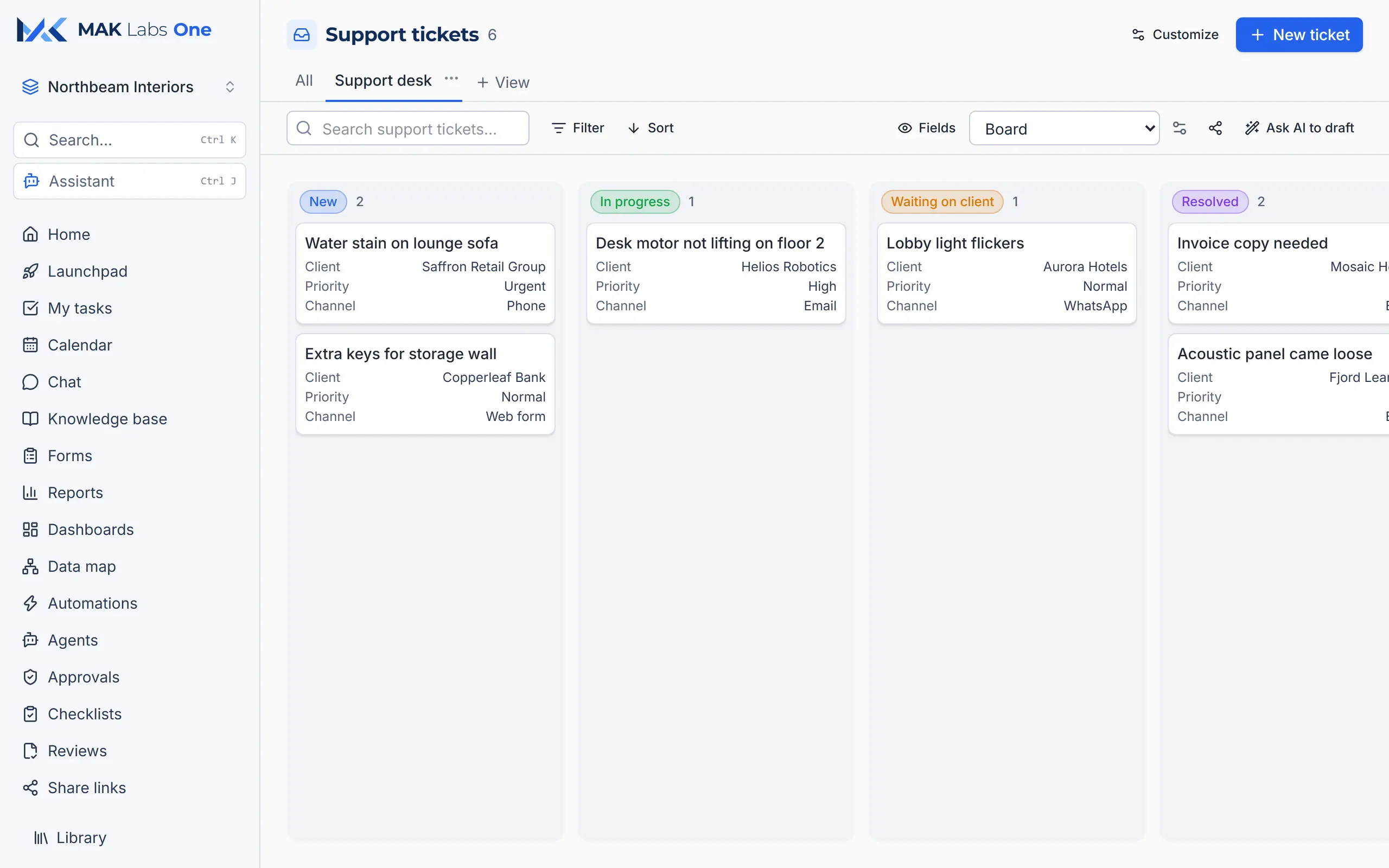
Tickets from email, phone, WhatsApp and the web form land on one board, from New to Resolved, each linked to its client.
Projects
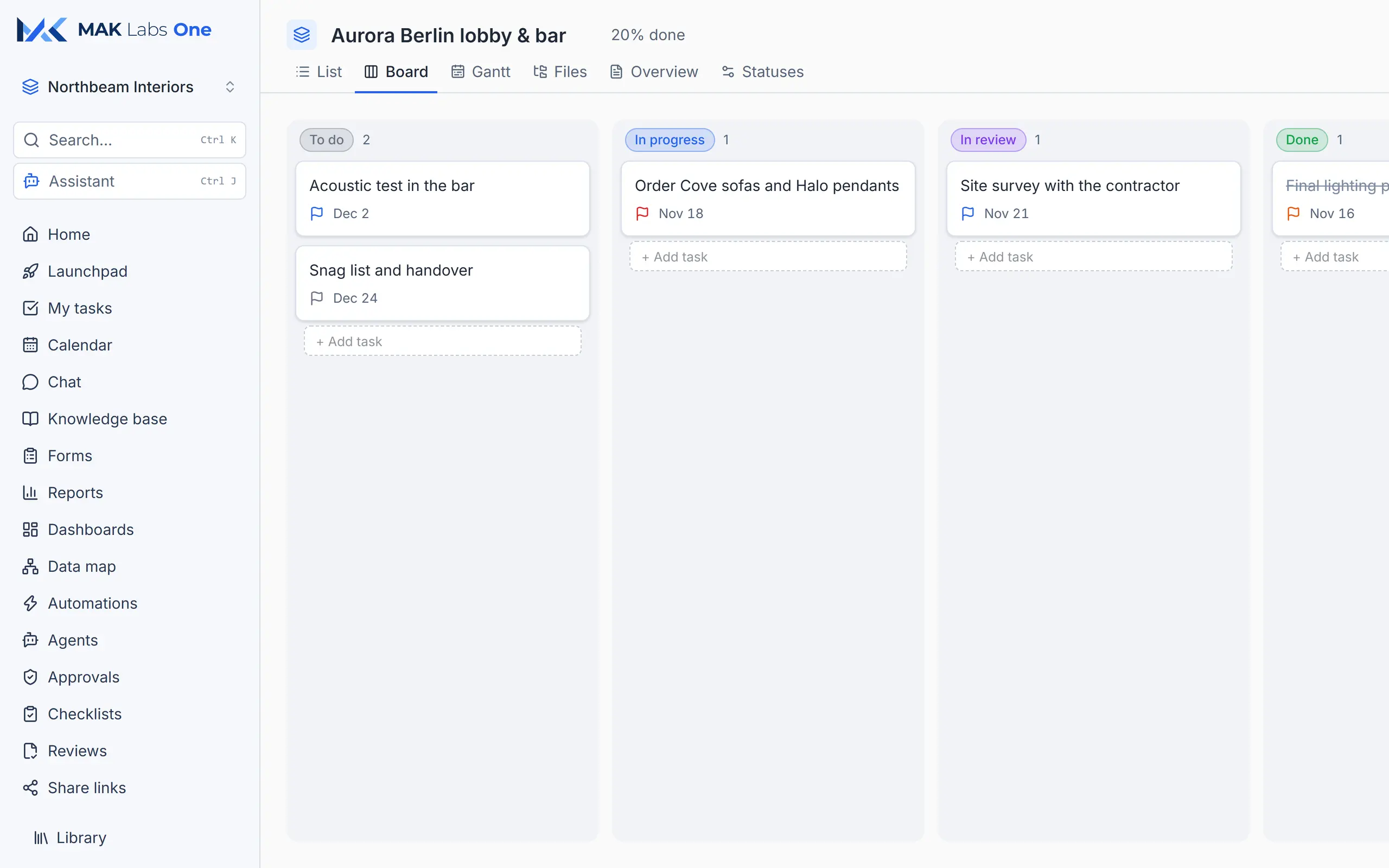
Every project gets a task board, list, Gantt chart, files and overview, with your own status names.
Dashboards
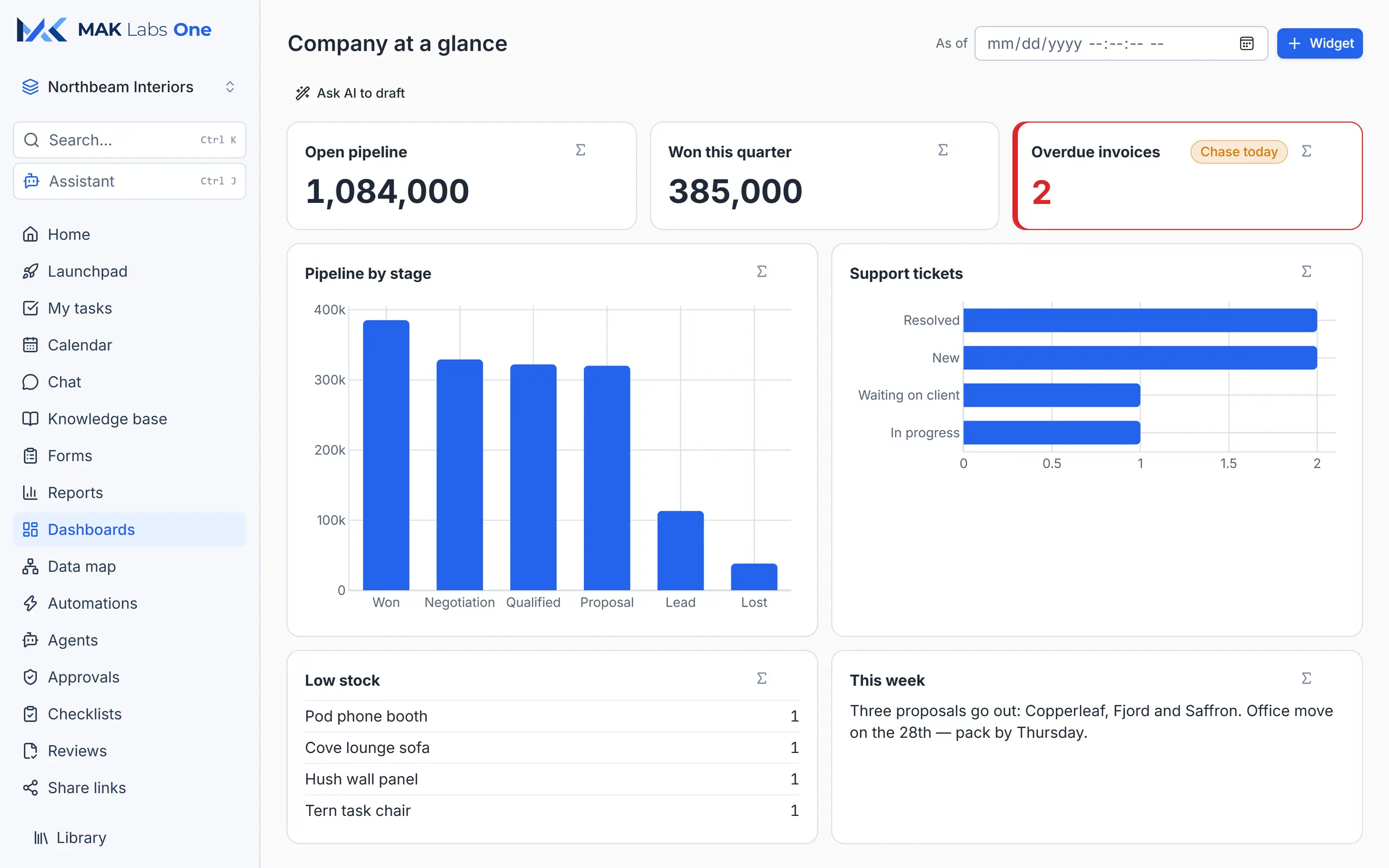
Open pipeline, wins, overdue invoices, support load and low stock, all live. Rules turn a number red or add a "Chase today" badge the moment something needs attention.
Deal to cash
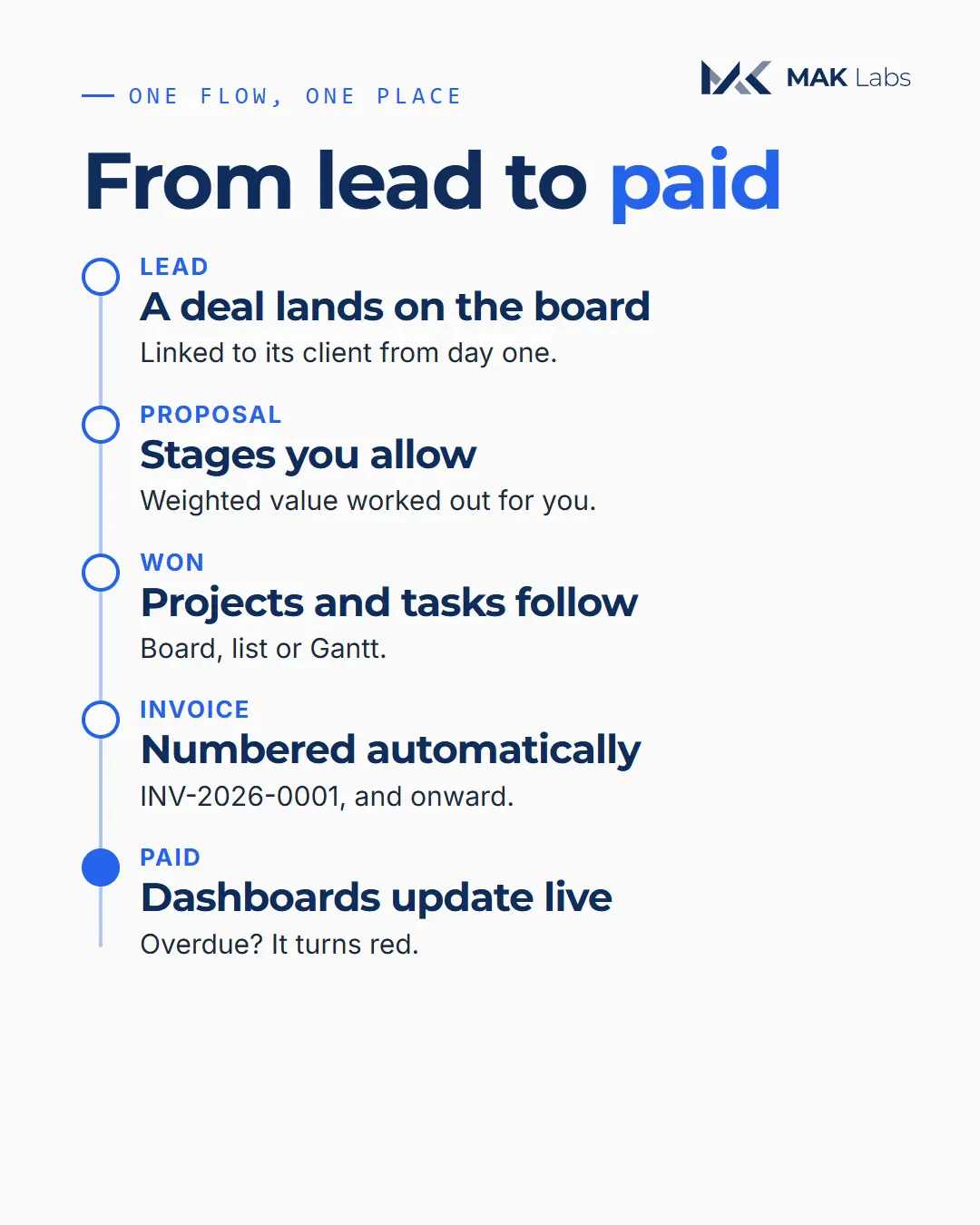
A deal lands on the board, linked to its client. It moves only through the stages you allow, with weighted value worked out for you. Won? Projects and tasks follow. The invoice numbers itself. When it's paid, the dashboards update; when it's late, it turns red.
Shape it to your business
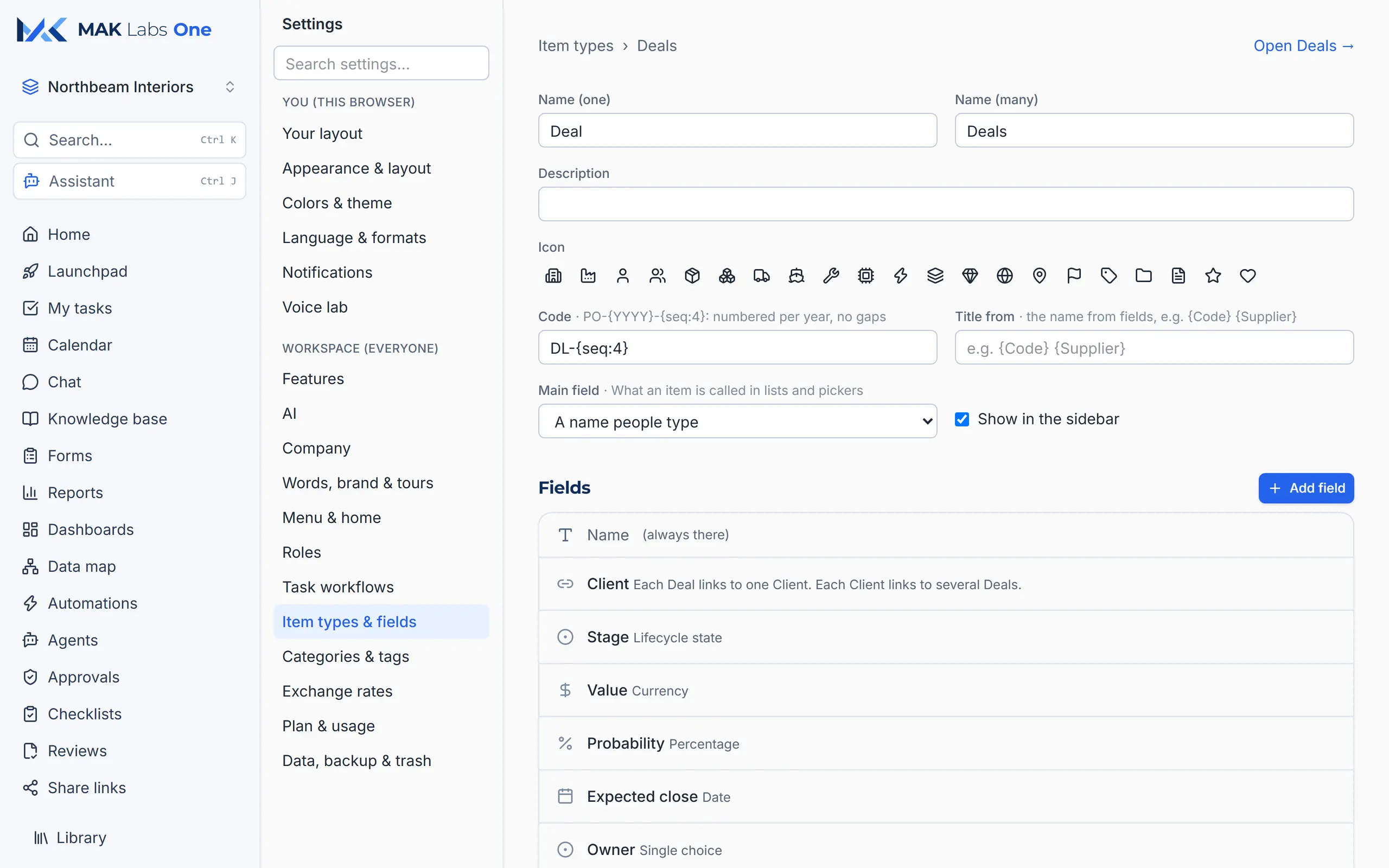
Your own record types with 30+ kinds of field: links, formulas, lifecycle stages, money, quantities with units, files, signatures, automatic numbering. No developer needed, and renaming never loses data.
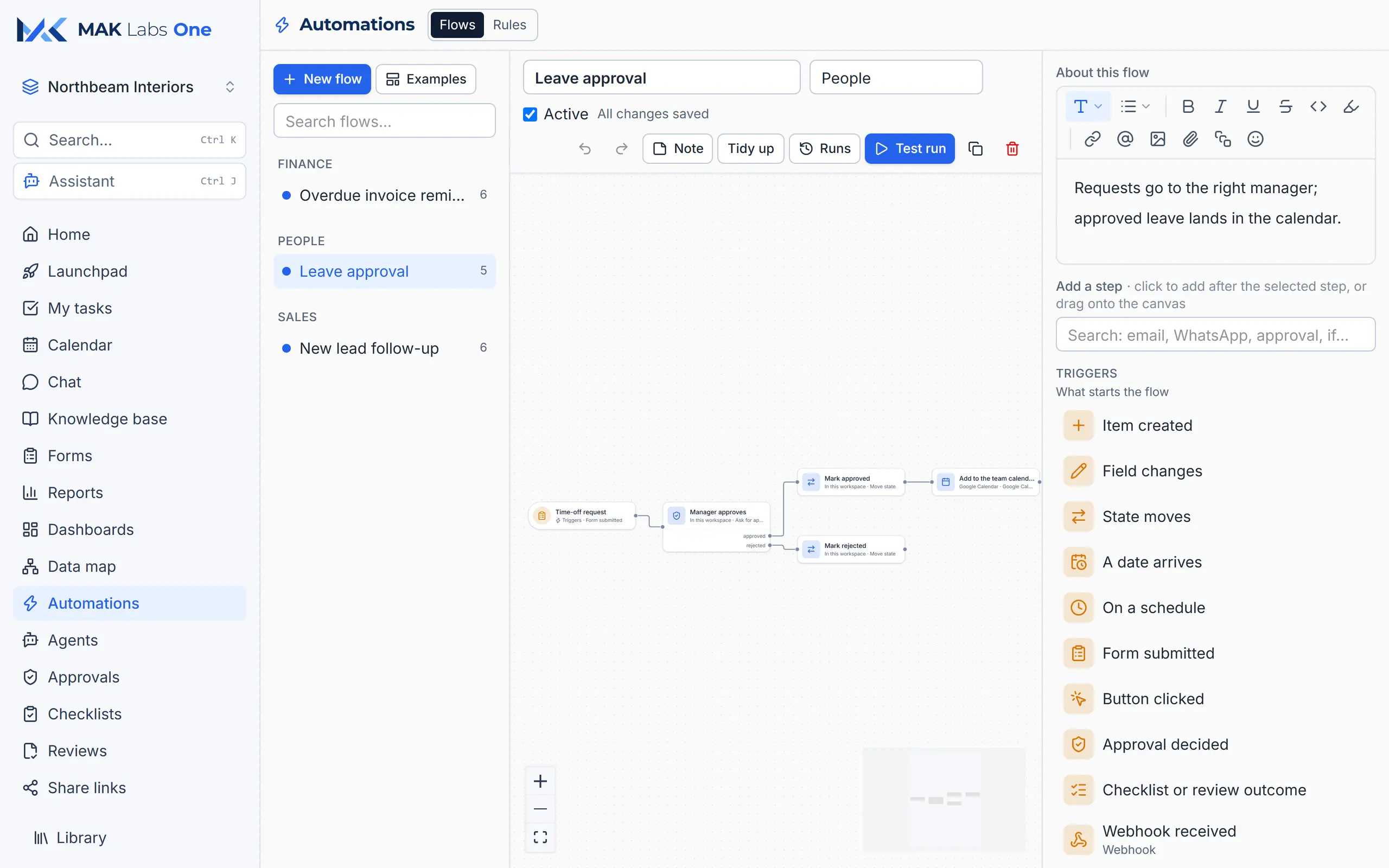
A visual flow builder: when a time-off request comes in, the manager approves it, the status updates and the leave lands in the team calendar. Triggers include forms, dates, changes, email, WhatsApp and webhooks.
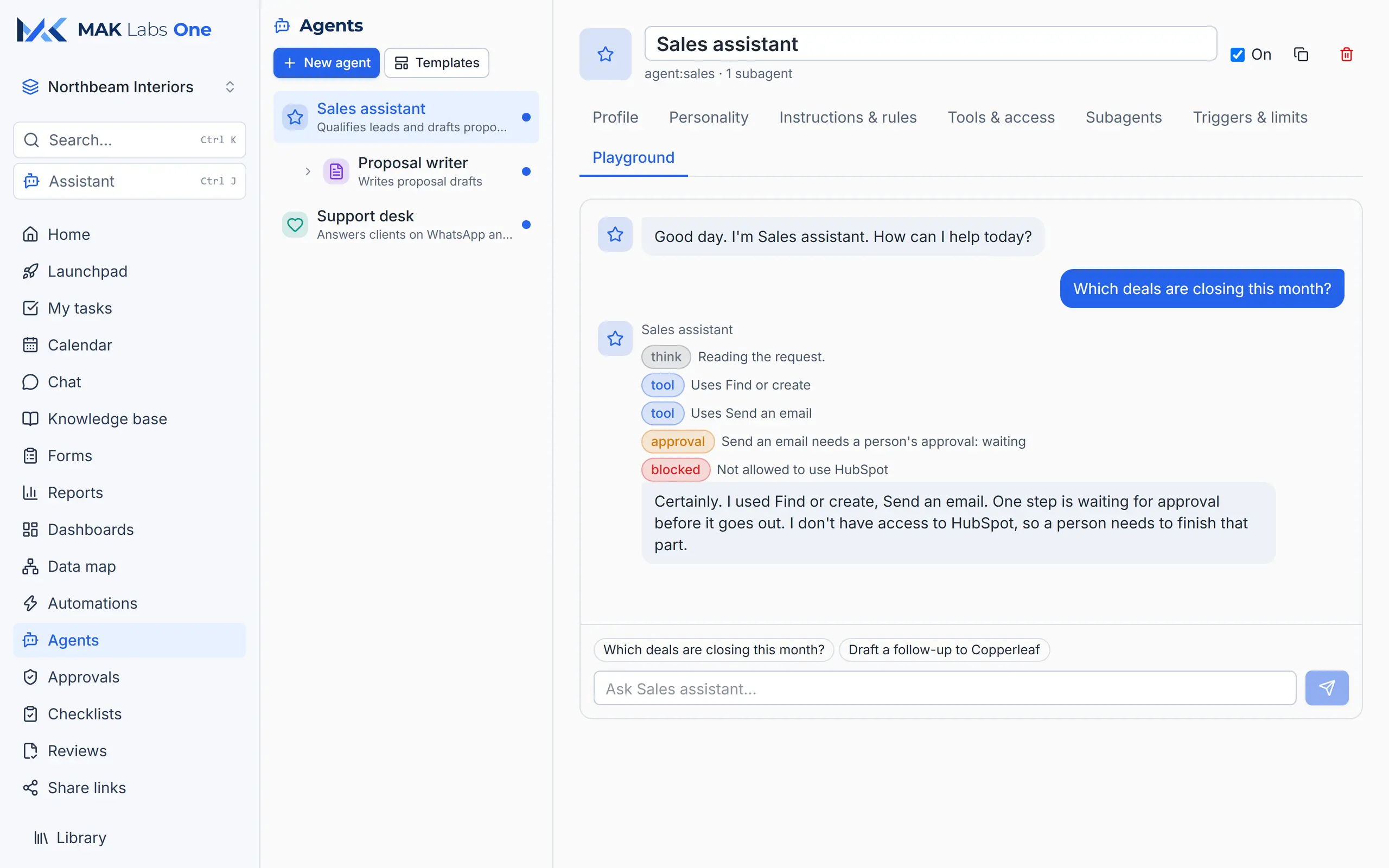
Give an agent a role, tools and rules. It hands specialised work to subagents and waits for a person to approve anything that goes out. Try it safely in the playground first.
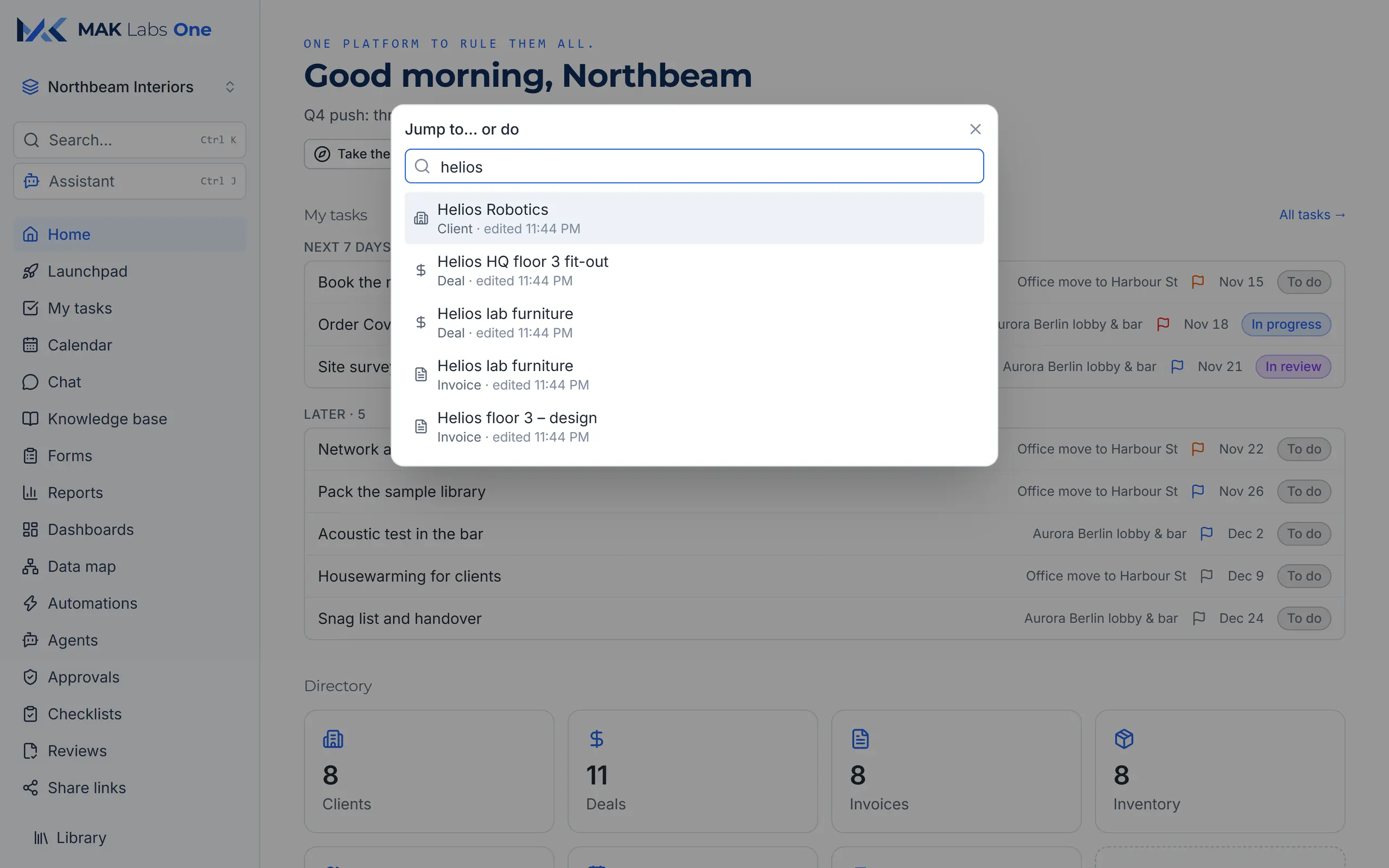
Press Ctrl K and type: jump to any client, deal, invoice, page or setting, or run an action.
Your brand colours with readable contrast, density and text size to taste, and a full dark theme per person.
The real screens
Every image is the real app. The sample company, Northbeam Interiors, is invented, and so are its names and numbers. Select a screen to enlarge it.
Myths, busted
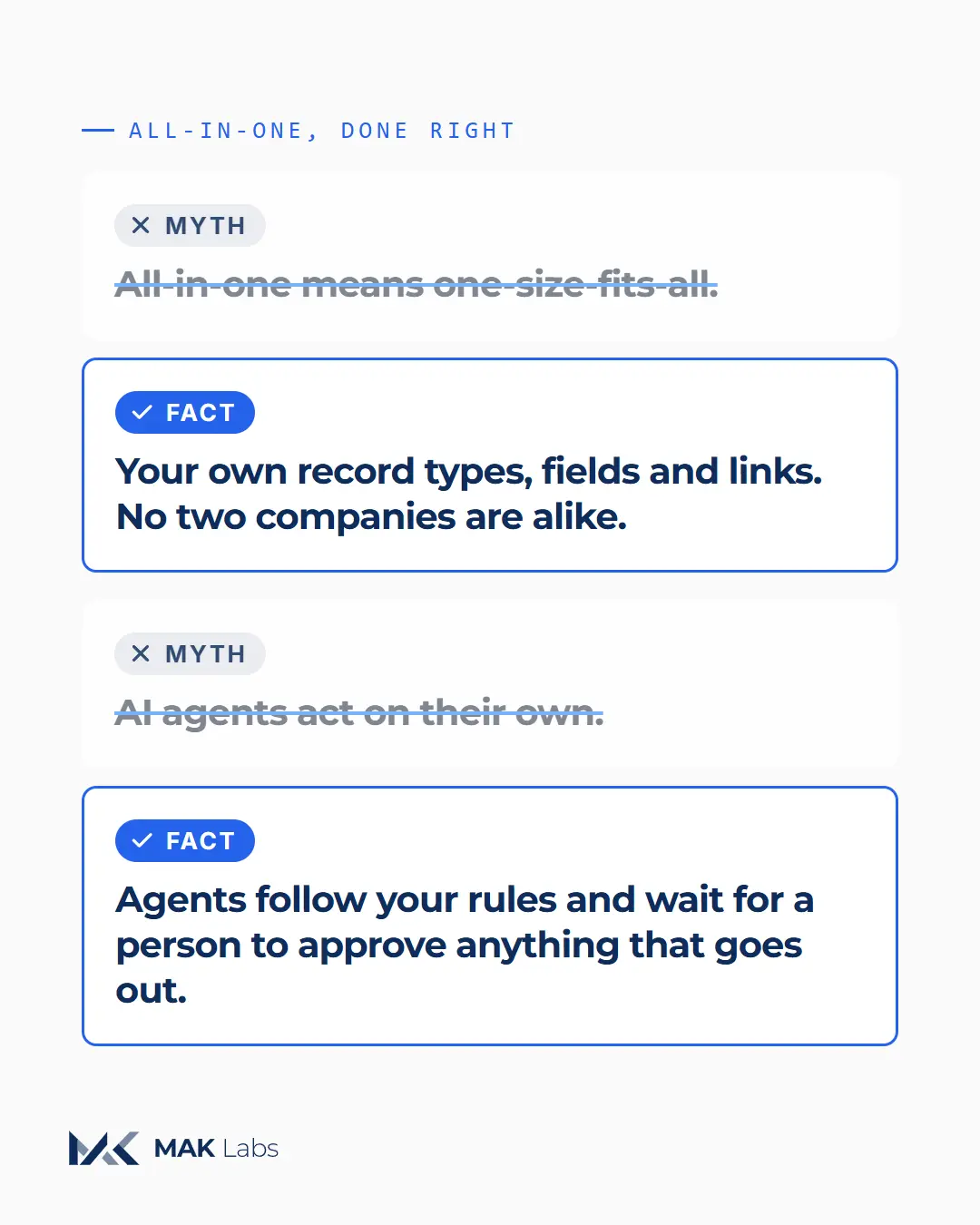
Myth: All-in-one means one-size-fits-all.
Fact: Your own record types, fields and links. No two companies are alike.
Myth: AI agents act on their own.
Fact: Agents follow your rules and wait for a person to approve anything that goes out.
FAQ
No. Start with what you need, a pipeline or invoices, and switch on more as you go. It's all one workspace.
Yes. Create your own record types, fields, stages and links without a developer; forms and automations follow your process.
Agents only use the tools you give them, follow your rules, and wait for a person's approval before anything goes out. You can test each one in a playground first.
Yes. Share a form by link and every answer becomes a record.
Every screen has a full dark theme, chosen per person.
Book a demo: we'll set up a workspace shaped like your business.
Book a demo